
If you manage HR workflows in monday.com, you already know the platform is powerful — but it wasn’t built specifically for human resources. The good news? The monday.com marketplace has a growing ecosystem of apps that fill those gaps. From employee onboarding to org charts and document automation, the right integrations can turn monday.com into a complete HR command center.
Here are five monday.com HR apps that go beyond basic project management and tackle real people-operations challenges.
1. OnboardFlow — Structured Employee Onboarding
Category: Employee Onboarding
Pricing: Free plan available
Getting new hires up to speed is one of HR’s most repetitive yet high-stakes workflows. Missed paperwork, forgotten IT requests, and unclear first-week schedules are all too common — especially when onboarding is managed through scattered spreadsheets and email chains.
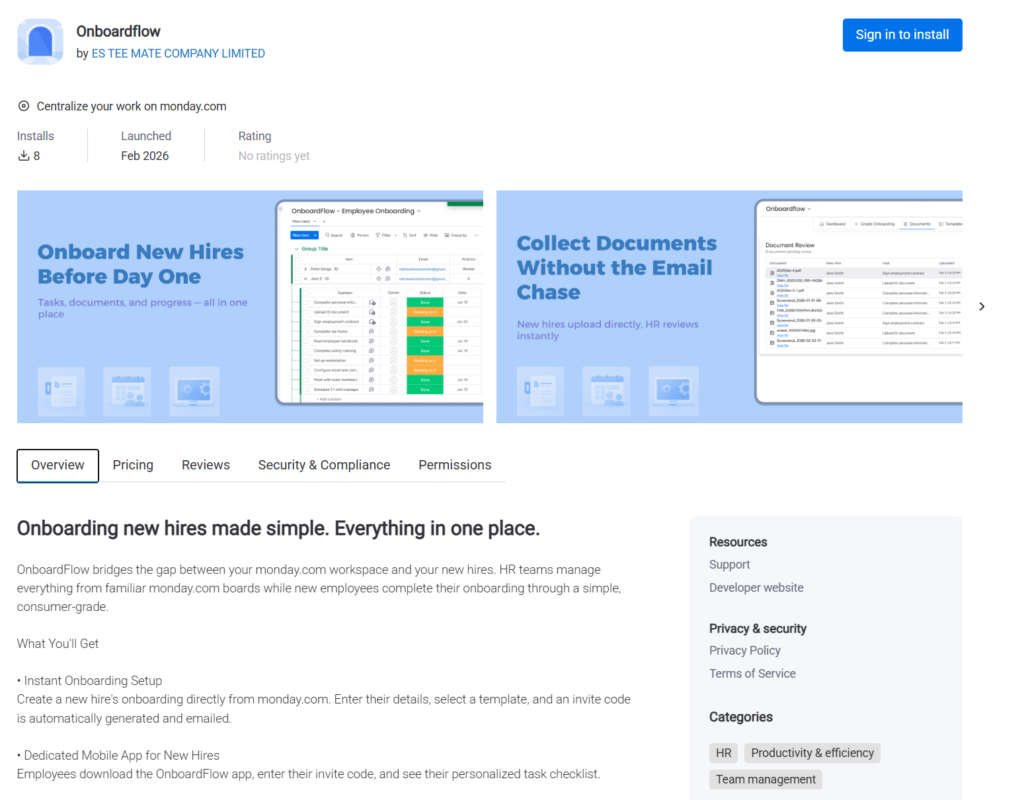
OnboardFlow turns monday.com into a dedicated onboarding hub. HR teams build onboarding templates directly inside monday.com, assigning tasks with deadlines across departments. When a new hire starts, they receive an invite code to the OnboardFlow mobile app, where they see their personalized task list: upload documents, review company policies, complete training modules, and check off day-one essentials.
What makes OnboardFlow stand out is the two-way sync. When a new hire completes a task on their phone, the status updates automatically on the monday.com board. HR managers get a real-time dashboard showing every onboarding in progress — who’s on track, who’s falling behind, and which documents still need review. No more chasing people over email to ask if they’ve submitted their tax forms.
Best for: Teams that onboard more than a handful of employees per quarter and want a mobile-first experience for new hires without giving them full monday.com access.
2. DocuGen — Automated HR Documents and E-Signatures
Category: Document Generation
Pricing: Free (20 docs/month) · Paid plans from $35/month
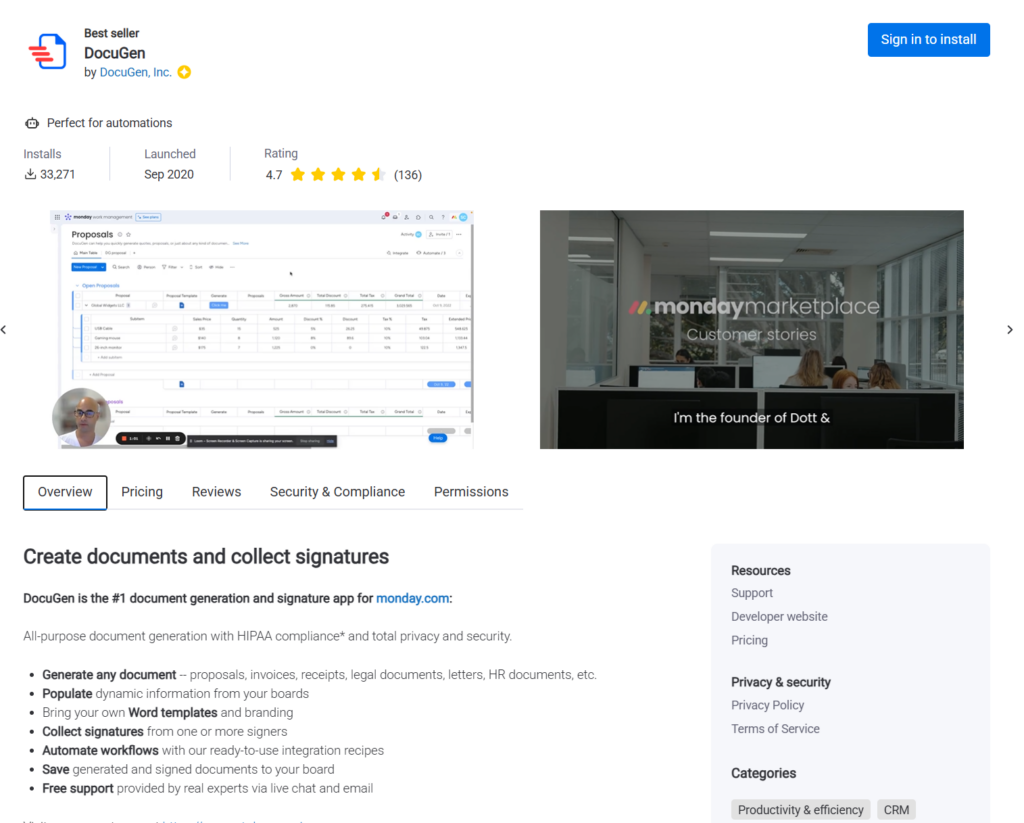
Installs: 33,000+ · Rating: 4.7/5
Every new hire means a stack of paperwork: offer letters, NDAs, welcome packets, benefits enrollment forms. DocuGen automates the entire process by pulling data from your monday.com boards and generating polished documents from Word templates.
Set up a template once — say, an offer letter that pulls in the candidate’s name, role, salary, and start date from your board columns — and DocuGen fills it in automatically. It even supports bulk generation, so if you’re onboarding a cohort of ten, you get ten personalized documents in seconds. The built-in e-signature feature means new hires can sign digitally without leaving the workflow, eliminating the need for a separate signing tool.
HR teams also use DocuGen for employee memos, promotion letters, and exit paperwork. With automation recipes, documents can be generated and emailed the moment an item moves to a specific status.
Best for: HR departments drowning in templated documents who want to eliminate copy-paste errors and speed up turnaround.
3. TeamBoard — Leave Management and Resource Planning
Category: Time Off / Resource Management
Pricing: Free (up to 3 users) · Paid plans from $30/month
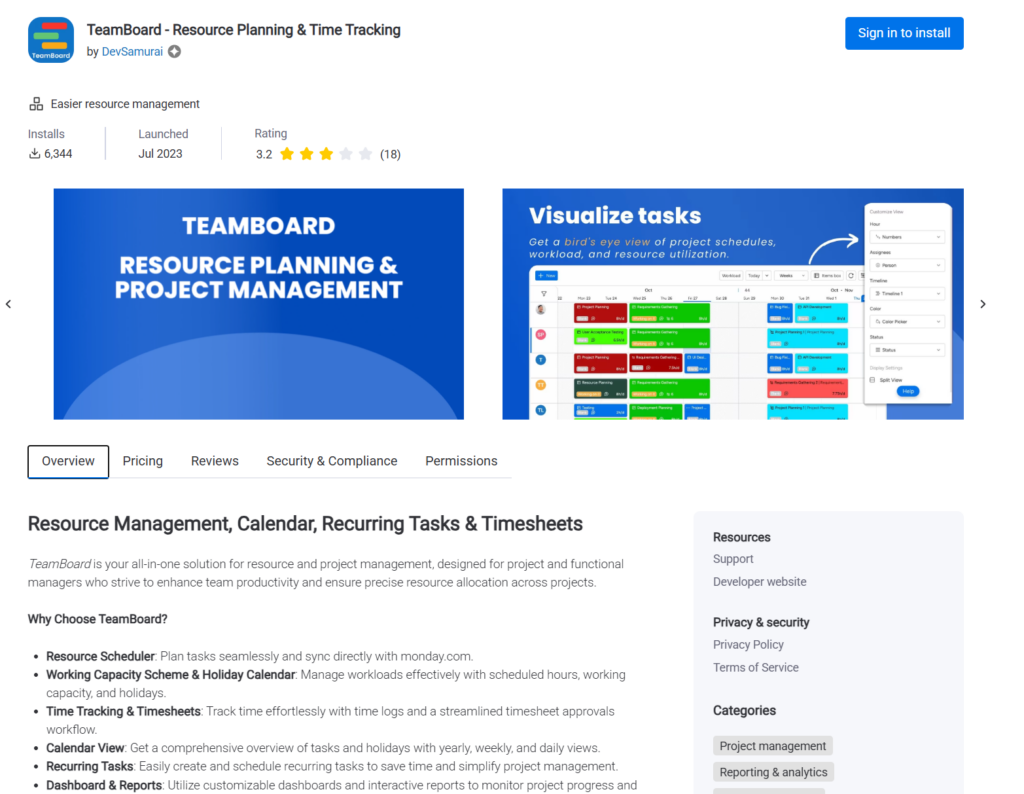
Installs: 6,300+ · Rating: 3.2/5
Managing who’s in the office, who’s on vacation, and who’s overloaded shouldn’t require a separate platform. TeamBoard adds leave management and capacity planning directly into monday.com.
Employees submit time-off requests through TeamBoard, and managers approve or deny them from a centralized dashboard. The Leave Dashboard shows balances, upcoming absences, and approved time off at a glance — no more digging through calendars or HR spreadsheets. Custom leave types (parental leave, volunteer days, mental health days) can be configured to match your company’s policies.
On the resource planning side, TeamBoard provides a visual timeline showing team workload and availability. If you try to assign a task to someone who’s on approved leave, you’ll get an alert. The timesheet feature lets employees log hours directly on tasks, which managers can review and approve — useful for teams that bill clients or need to track time for compliance.
Best for: Growing teams that need leave tracking and capacity visibility without adopting a full-blown HRIS platform.
4. Org Chart — Visual Team Structure
Category: Organizational Design
Pricing: Free plan available · Pro from $32/month
Installs: 3,600+
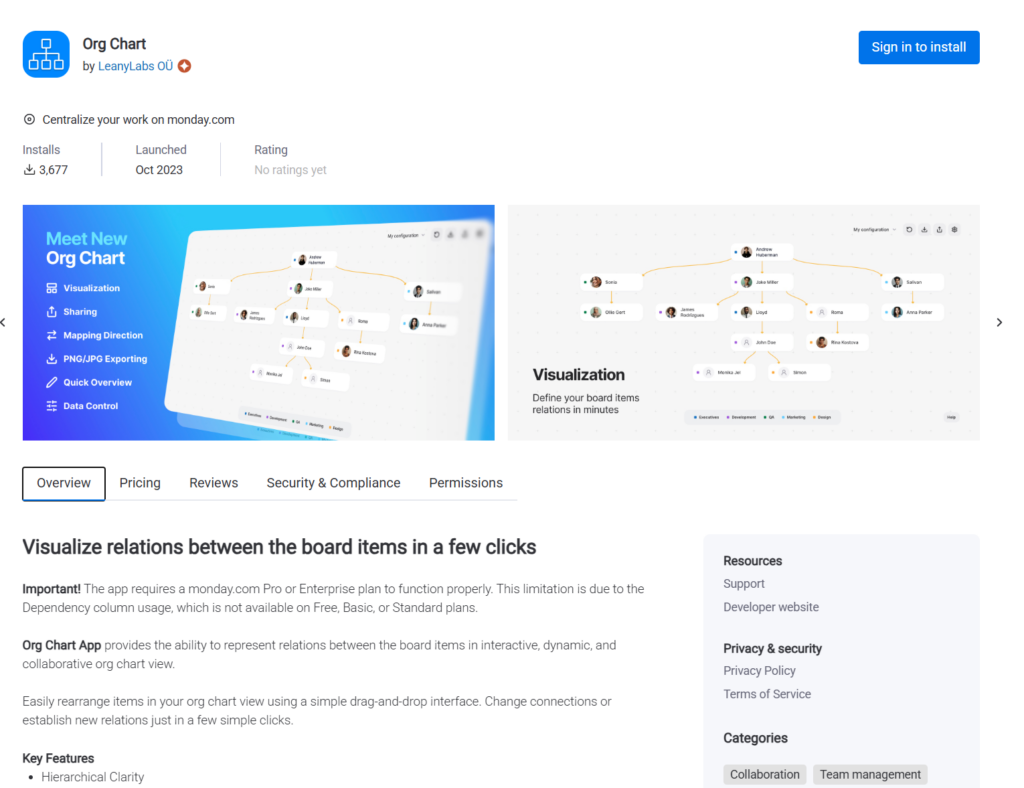
As companies grow, keeping track of who reports to whom becomes surprisingly difficult. Org Chart by LeanyLabs renders interactive organizational charts directly from your monday.com board data.
Define parent-child relationships between items (employees, departments, roles) and the app generates a hierarchical visualization that updates in real time as your board changes. Need to restructure a team? Drag and drop to reassign reporting lines. Onboarding a new hire into a specific department? They appear in the chart as soon as you add them to the board.
The Pro plan adds PNG and PDF export, which is handy for sharing org charts in company-wide presentations or onboarding packets. It’s a simple app that does one thing well — and for many HR teams, that’s exactly what’s needed.
Best for: Companies with 20–200 employees that want a living org chart without maintaining a separate tool.
5. Docusign Integration Plus — Secure Document Signing
Category: E-Signatures / Compliance
Pricing: Free (7 actions/month) · Paid plans from $19/month
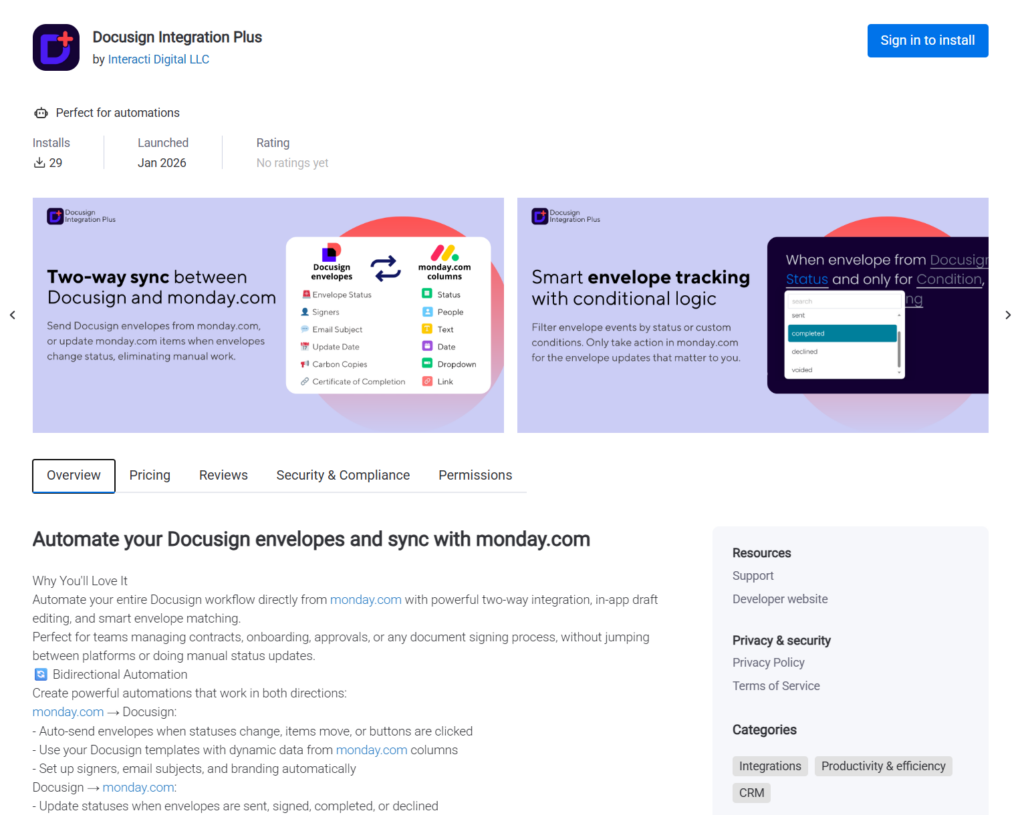
If your organization already uses Docusign, this integration bridges the gap between your signing platform and monday.com. Rather than switching between tabs to track which documents have been sent, viewed, and signed, Docusign Integration Plus syncs everything back to your board automatically.
Create and edit Docusign envelopes directly from monday.com item views, then track signing progress without leaving the platform. The smart matching feature connects Docusign activity to the correct monday.com items by matching on email — even for envelopes that were sent outside the app. Status changes in Docusign flow back to monday.com in real time, so your HR board always reflects the latest signing status.
With automation recipes, you can trigger envelope creation when an item moves to “Ready for Signature” and update the status to “Signed” when the signer completes. It’s particularly useful for offer letters, contractor agreements, and compliance documents that require a legally binding signature.
Best for: Teams already invested in Docusign that want signing workflows embedded in their monday.com boards rather than managed separately.
Choosing the Right Apps for Your HR Stack
No single app will cover every HR need, and that’s by design. monday.com’s strength is modularity — you pick the integrations that match your workflows rather than paying for an all-in-one HRIS you’ll only use half of.
If you’re just getting started, focus on the biggest pain point. For most teams, that’s onboarding (OnboardFlow) or document automation (DocuGen). As your processes mature, layer in leave management (TeamBoard) and organizational visibility (Org Chart). And if contract signing is a bottleneck, the Docusign integration closes that loop.
The best HR tech stack is the one your team actually uses. These five apps keep everything inside monday.com — where your team already works — so adoption is a non-issue.